 DE
DE  EN
EN 
The former name was BOCR (Intelligent Bar code & OCR Printing Solution).
If you have problems of installing IBS and you are a Ricoh employee you can request the IBS Service Manual by sending an E-Mail to
Download links of the latest version (please note the readme.txt in the ZIP, especially the last chapter):
Ricoh devices:
IBS Documentation and Software (Download)
Support Matrix (Models)
Gestetner US devices:
IBS Documentation and Software (Download)
Support Matrix (Models)
Infotec devices:
IBS Documentation and Software (Download)
Support Matrix (Models)
Lanier US devices:
IBS Documentation and Software (Download)
Support Matrix (Models)
NRG devices:
IBS Documentation and Software (Download)
Support Matrix (Models)
Note: All devices supported by IBS v2.x need to have an additional Java file installed - so having Java VM up and running in the device is a prerequisite to install and run IBS v2. For more information check the IBS Service Manual or the IBS Control Center.
Bar code specs
| Printer Language | PCL5 |
|
Font Type bar codes |
IBS Firmware version 9.x: HP Barcodes & More Fonts are now implemented and not just emulated: Code 39 and EAN UPC bit-mapped All Bar codes from the OCR + Bar code module sos8026 HP US fonts, all HP bit mapped and scalable fonts the intelligent way. Some Canon bar codes as well |
| Bar code types |
*UPC-A, UPC-A +2, UPC-A +5 |
* All independent scalable in X and Y orientation including smart readable text positioning.
+ No readable text, size is fixed to specs of the bar code.
- 2-dimensional bar codes are scalable, ECC level and size can be set, no readable text.
~ 2-dimensional bar code with fixed ratio according to specs of the bar code, no readable text.
OCR specs
| Printer Language | PCL5 scalable fonts | ||
| Scalable OCR Fonts |
|
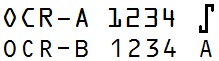
Additional fonts supported by stethos with IBS Firmware version 9.x (IBS release 1.18)
| Printer Language | PCL5 scalable fonts | ||||||||
| Scalable Font Type |
|
||||||||
| Macros / Forms | Odette forms for European car industry in several Languages version 3 |




Links
Ricoh EDP codes and stethos part/order numbers
IBS Control Center which replaced the former Ricoh BOCR Tool
What does IBS version x.xx mean
Moving licenses to new devices hand in hand with a highly recommended purchase of maintenance
History of changes regarding the various IBS versions
White Paper for BOCR/IBS installation on SP C420 using SD cards
Instructions for BOCR/IBS installation on AP410N, AP610 and SP4100 using SD cards
Link to official Ricoh WEB site
There a lot of functions which are all not officially supported by Ricoh Europe but are build into the product. IBS is a complete rule based printing system, available in the Ricoh devices, as well as on nearly all operation systems.
More information and download of ELP, the server based version of IBS
